Message Templates for Email, Push Notifications and SMS
Per modificare e/o aggiungere modelli di messaggio per le comunicazioni tra la scuola e le altre figure nel gestionale, navigare su Comunicazioni → Modelli Email / SMS:
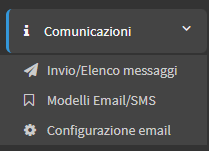
The list of all Templates will be visible Predefined e Customized.
Edit default templates for automated messages
Click here for a list and explanation of all the Email/SMS Templates available at ScuolaSemplice.
By default, there are predefined templates for various types of automated communications (e.g., Send Order Receipt, Teacher's Next Week Schedule, Payment Reminder, Lesson Cancellation/Move, etc. etc.).
To edit these templates that are present in the system, click the icon of Edit present on the line of each:
It will then be possible to edit mail templates, templates for App e SMS templates:
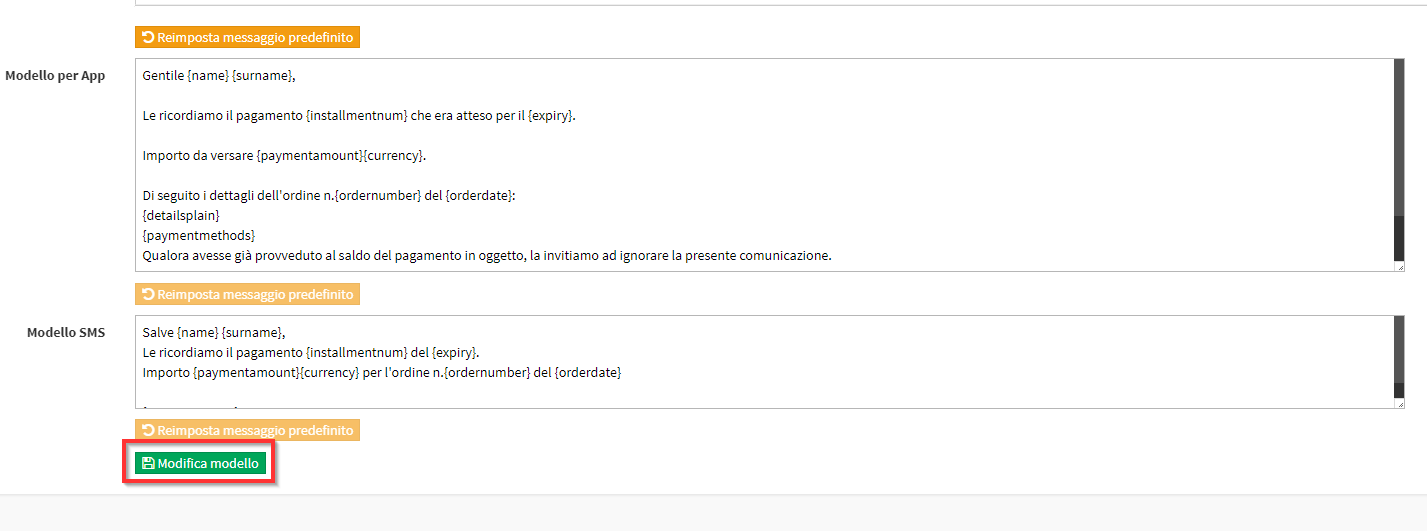
Click the Edit Template to save the operation.
Click Reset default message to restore the default content from the system:

IMPORTANT: Non modificare le variabili di modello {name},{surname},{classname},{data},{ora},{location},{numerotel},{companyname}, per il corretto funzionamento queste variabili non devono essere modificate.
Adding new templates for customized communications
For add new templates, which can be used for massive manual communications, click the button Add mail/sms template:
The screen to be filled in will be as follows:
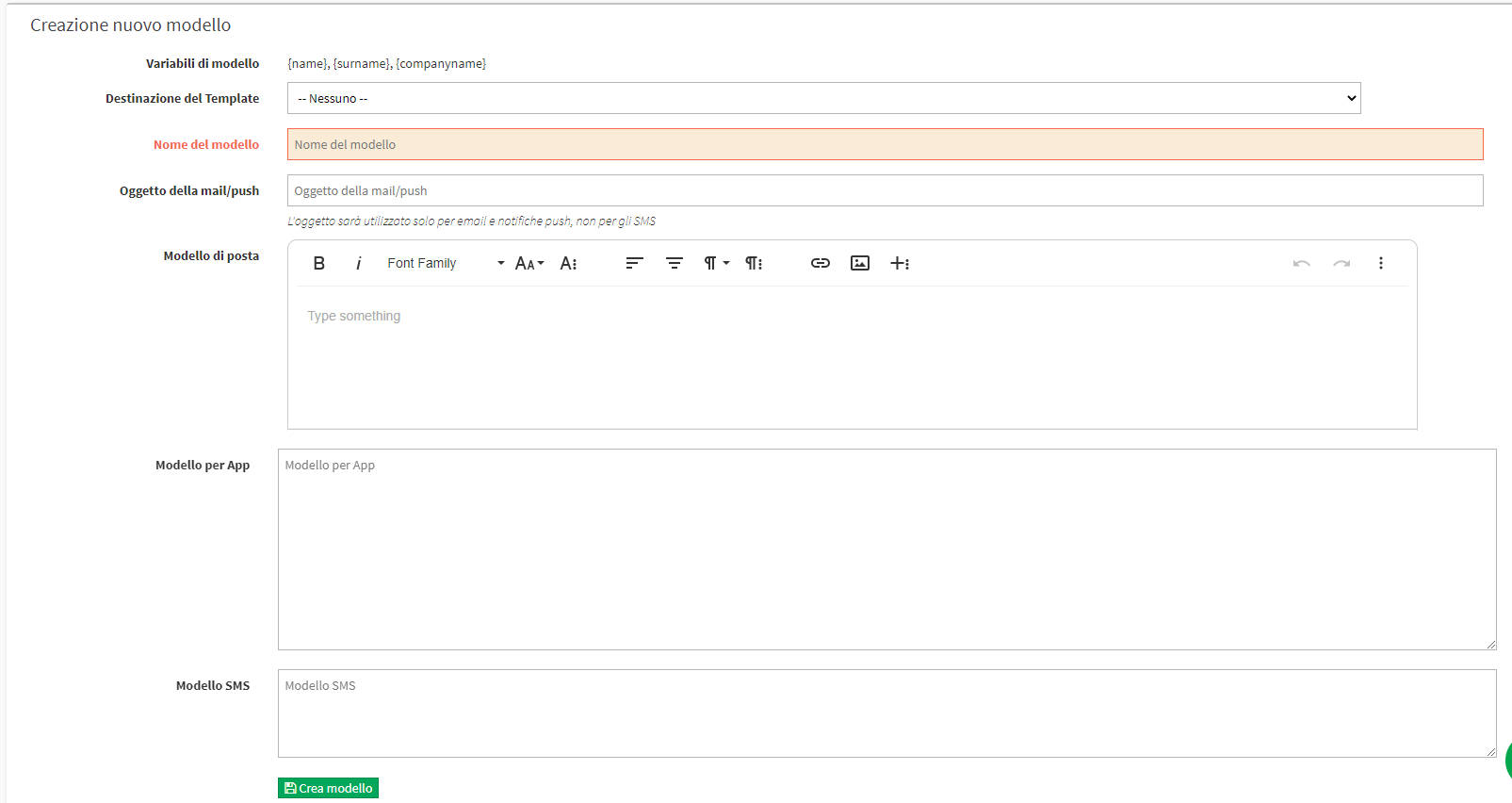
Then enter:
- Destination Template: Enter then
- None: To use the template for sending manual communications.
- Courses: For use of the template for communications related to Courses.
- Bids: Using the template for communications on Bids
- Expiration of Certificates: Using the template for expiration of Certificates
- Template name: the name of the new custom template
- Subject of the email/push: subject of the communication, which will be the same for both email and push
- Mail template: the template for the message via email
- Template for App: the template for the message via push notification
- SMS template: the template for the message via SMS
Click Create template to save the operation.
Newly created templates will be listed under the section Custom Templates:

Pingback: Weekly teacher timetable submission - The Wiki of ScuolaSemplice
Pingback: Configuring automatic notifications for payments to be received - The Wiki of ScuolaSemplice
Pingback: Sending Email and SMS - The Wiki of ScuolaSemplice