How to Configure the Sandbox for Sending Mail
Sandbox mode is a development mode often used in the startup phase of the management system, it causes all outgoing Emails from ScuolaSemplice to be delivered to a single internal Email address, this prevents real Emails from arriving to users registered on the site during platform testing.
Navigare in Comunicazioni → Invio/Elenco Messaggi → Impostazioni Email ed SMS → Click “Abilita la sandbox con invio di tutte le comunicazione ad un unico indirizzo di test”:
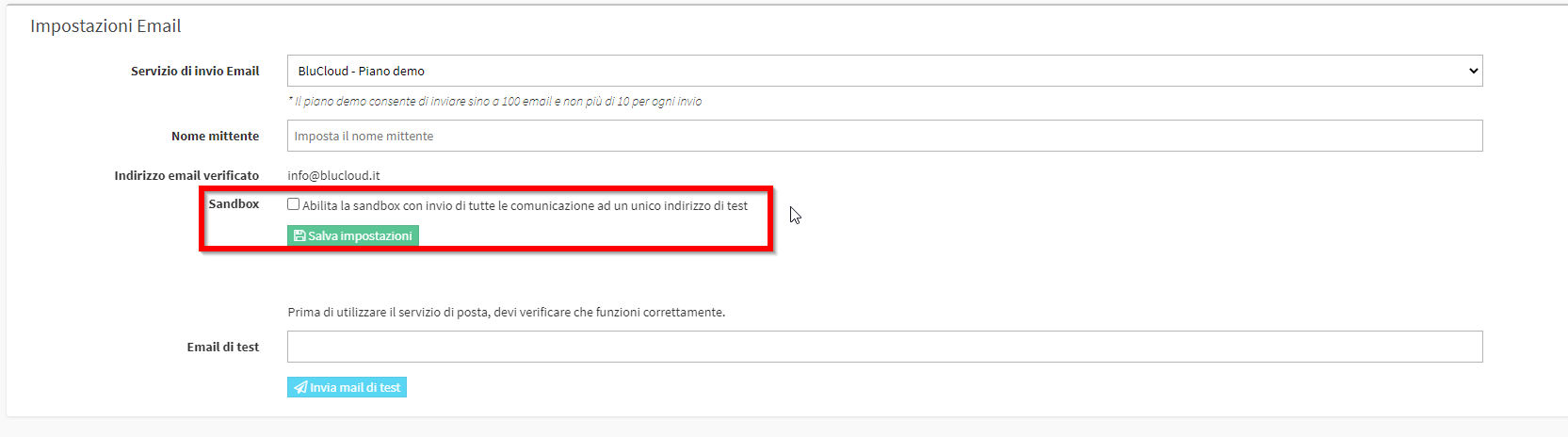
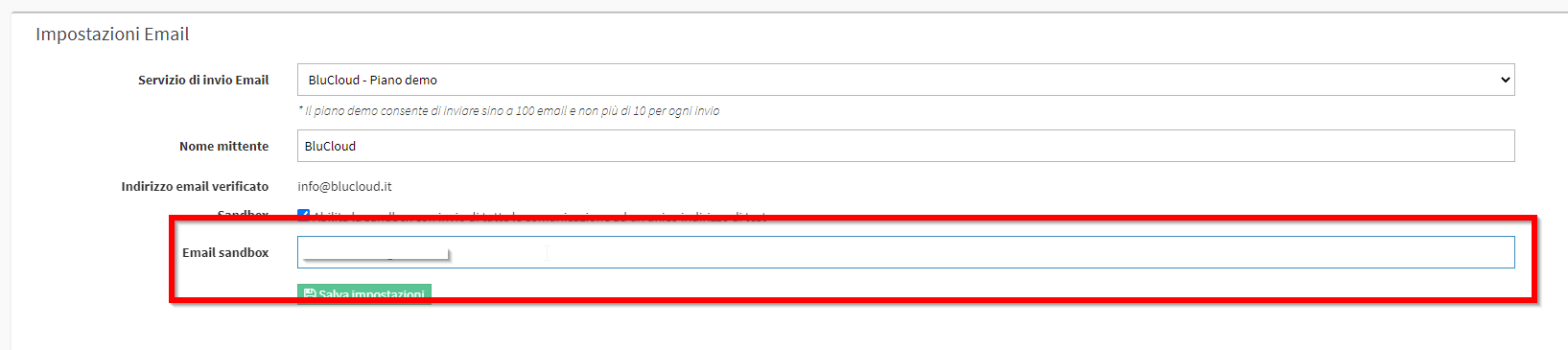
Once checked you will be asked to indicate the Mail for Sandbox activation., it will be the Mail to which will be delivered all outgoing messages from the management system:
After saving the settings another box will be shown to test that the Mail entered is valid, then re-enter the Sandbox address and click on Send Test Mail:
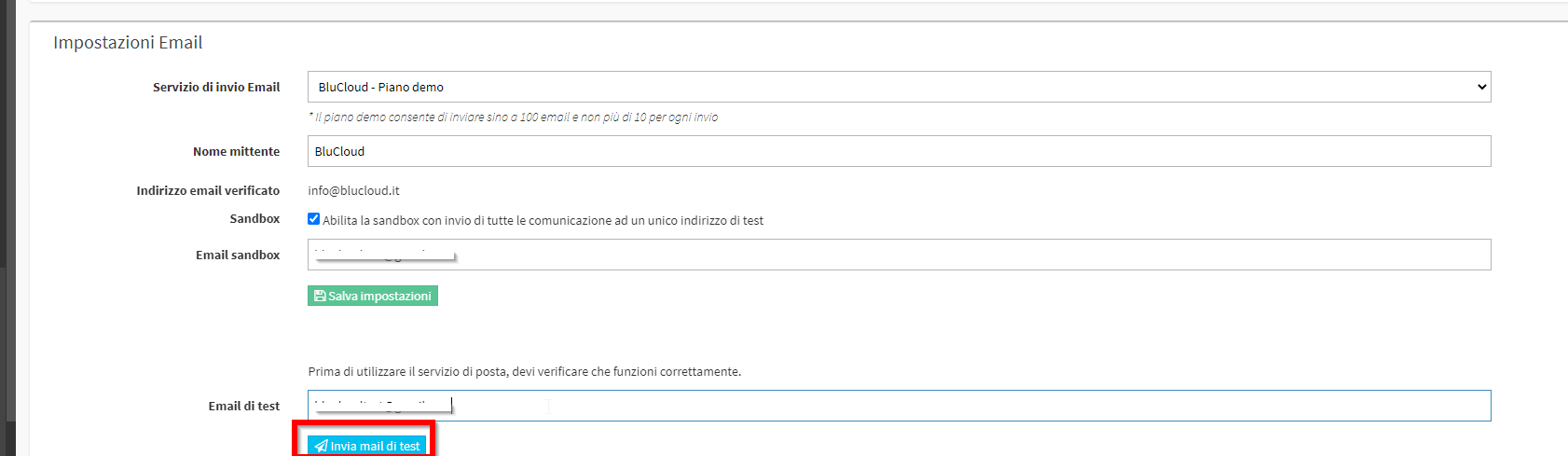
The message will contain a code that must be entered in the box that appears:

Entered the code and clicked on Check Code Verification, the procedure will be finished and the Sandbox activated. In the Dashboard of the management system there will be a red banner that will indicate the presence of the activated Sandbox and therefore the inability to send email outside the management system:

In case you want to disable the Sandbox from your system you can do so by following this guide.