Accruing Payment to Teachers
It is possible to installment Teachers' payments so that the balance is recorded in installments.
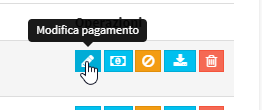
Navigate to Financial Management → Teacher Payment and click on thepencil icon next to the month of interest to enter Edit:
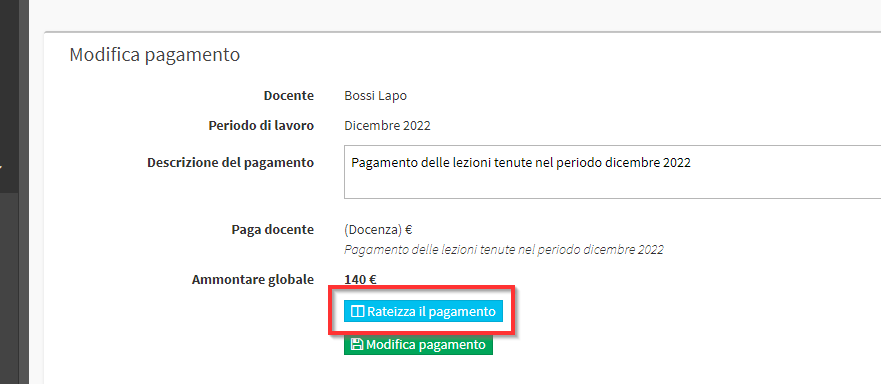
From the screen that appears click on the blue button Accrue Payment:
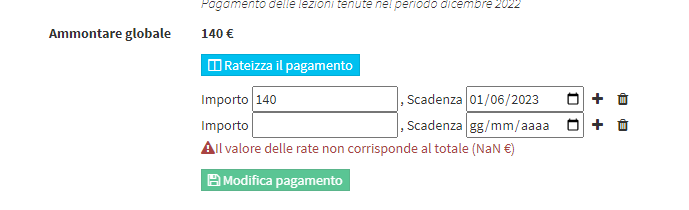
An initial installment line will be created, with the ability to enter the amount and due date of the installment:
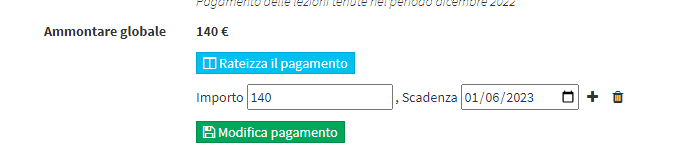
Then clicking on the + it will be possible to create new installments:
After the configuration is finished, you will need to click on the green button Edit Payment:
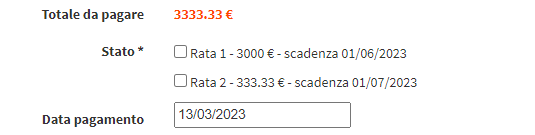
Now, when you proceed to mark the correct payment of the Lecturer you will be able to mark which of the created installments to go to settle: